Is WordPress Still Safe in 2026?
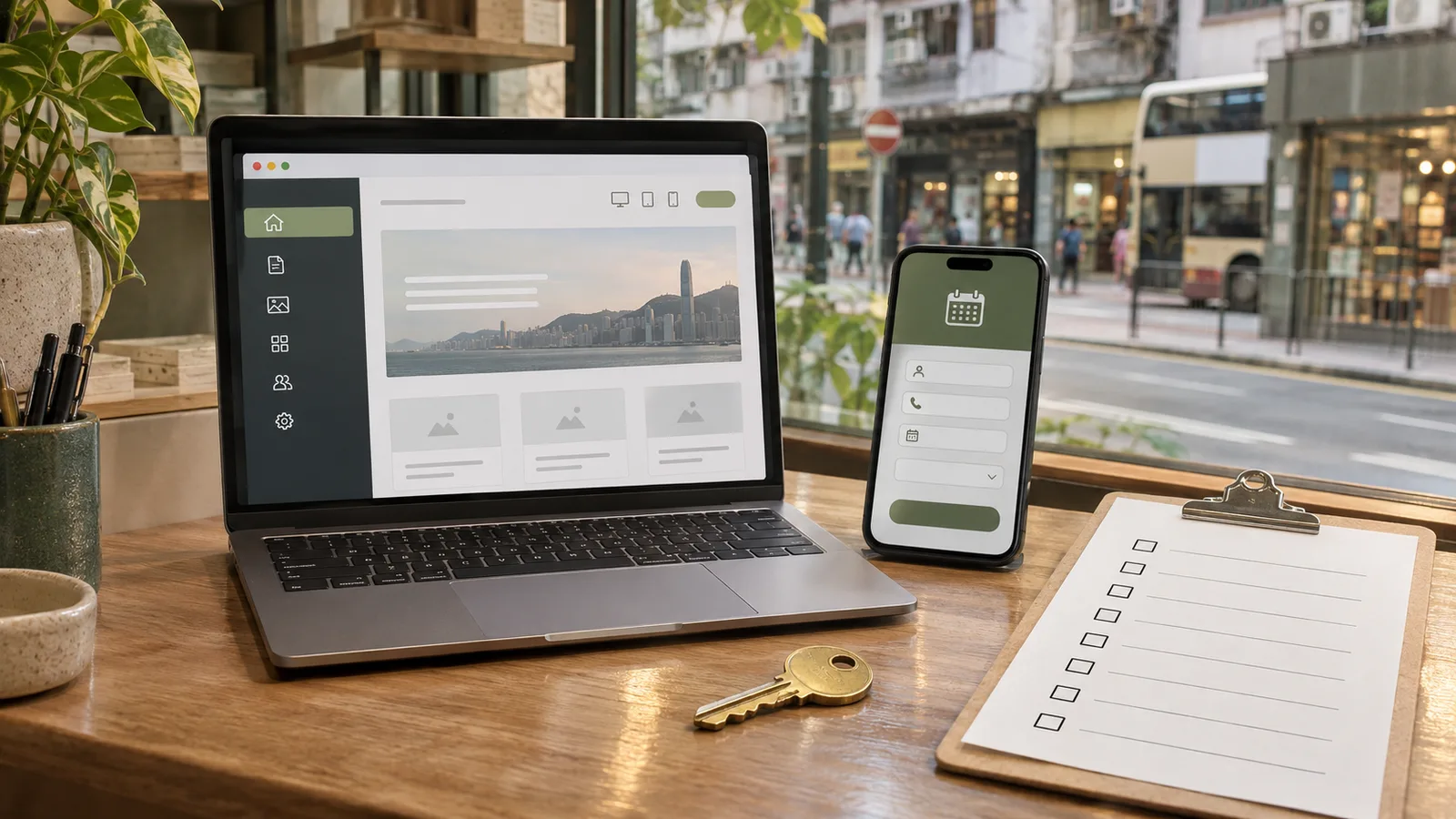
In 2026, vulnerabilities affected WordPress itself, plugins and the software used by hosting providers. WordPress can still be a safe choice when someone handles patches, monitoring and backups. For businesses that mainly showcase services and case studies, a static site with a separate content editor gives staff another way to update the site themselves.
What happened to WordPress in 2026?
From mid-September to late October, WordPress issued four security releases in six weeks. Around the same time, researchers found that a website design plugin could let outsiders upload malicious code. PHP, the software many WordPress sites rely on to run, also needed an emergency security patch. WordPress security team update · Plugin vulnerability report · PHP emergency security release
One flaw fixed in late October was especially easy for a site owner to overlook. It gave attackers a chance to break in while the site was being updated. WordPress release announcement
How could an attacker break in during an update?
An attacker could change a site’s settings during the update without logging in. When an affected version installed a full WordPress update package, it briefly stored the installer files in a location that could be reached through a URL. An attacker who found the installer before the update finished could use it to write a fake configuration file. As the update continued, WordPress could copy that file into the live site, giving the attacker a way to take it over. Technical analysis by the researcher who found the flaw
Imagine a shop being renovated. The builders leave a few boxes in the corridor before carrying them inside. Someone slips a forged document into one of the boxes. When the builders collect the boxes, they bring the document into the shop along with everything else.
The flaw is tracked as CVE-2026-119977. WordPress fixed it in 7.1.4 on 28 October 2026 and issued corresponding fixes for several older release branches. The US Cybersecurity and Infrastructure Security Agency (CISA) added it to its Known Exploited Vulnerabilities catalogue on 3 November. Wordfence later reported blocking more than 240,000 attack attempts, showing how automated probes can keep checking for a site in the middle of an update. WordPress release announcement · Canadian Centre for Cyber Security advisory · Wordfence attack observations
If your site still runs an affected version, ask your website maintainer to patch it promptly. Updating from an older version with the full package may run the vulnerable process one last time. Wordfence advises maintainers to restrict external access to PHP files in the temporary update directory before updating. If the update is complete, review the hosting logs for the update period and check for unfamiliar administrator accounts, plugins or files. Wordfence patching and investigation guidance
Was the problem in WordPress, a plugin or the host?
When you hear about a vulnerability, start by asking what actually needs updating. The dashboard can show that WordPress itself is up to date while plugins and the host’s PHP still need separate checks.
| Where the problem was | Recent example | Who can fix it |
|---|---|---|
| WordPress itself | Update flaw. During an update, an outsider could open the temporary installer, change the site’s settings and potentially take it over. (CVE-2026-119977) | Website maintainer |
| Plugin | Bricksforge file upload flaw. An outsider could upload and run malicious code on the host without logging in. (CVE-2026-85097) | Whoever maintains the plugins |
| PHP on the host | Two PHP flaws, known as PHP2Shell. A specially crafted web request could make an affected host run malicious code. (CVE-2026-109618, CVE-2026-109619) | Hosting provider or server administrator |
Why check plugins first?
Patchstack counted 11,334 newly discovered vulnerabilities across the WordPress ecosystem in 2025. About 91% were in plugins. Here is how some of those risks can show up in everyday website features. Patchstack annual report
- A member could give themselves administrator access. If a plugin lets people change an account without checking their permissions, a regular member could acquire the ability to edit site content or add accounts. WordPress guide to permission checks
- A form could accept a malicious upload. A poorly secured field meant for CVs or images can allow someone to upload executable code. If the host runs that file, the attacker may be able to take over the site. If you use Bricksforge, ask your maintainer to check for version 3.1.8.10 or a later patched release. Bricksforge vulnerability report
- When an administrator opens a page, code hidden in its content could run. This is a form of cross-site scripting (XSS). In October 2026, Patchstack tracked attacks that used these flaws to install malicious plugins and create hidden administrator accounts. Patchstack attack analysis
- Text entered in a search field or form could alter a database command. This is called SQL injection. If a plugin inserts that text directly into a query, an attacker may be able to read or change data. WordPress database development guide
Can a routine-looking plugin update introduce a security risk?
Yes. Patchstack found that after EssentialPlugin changed ownership in 2025, a seemingly routine compatibility update added a backdoor to more than 20 plugins. The backdoor was activated in April 2026. Update sources can also change. In 2024, WordPress.org announced Secure Custom Fields (SCF), a fork of Advanced Custom Fields (ACF), while the ACF team provided its own update route. At handover, record the name, developer and update source for each important plugin. If a plugin is removed from the directory, changes hands or shows little sign of ongoing maintenance, check the availability of security fixes before deciding whether to keep it. EssentialPlugin incident analysis · WordPress.org’s SCF announcement · ACF update guide
How can a web host protect a WordPress site?
The web host is where WordPress runs. It runs PHP, holds the website’s files and database, and sends pages to visitors. Large brands such as Hostinger and smaller providers offer plans with different levels of monitoring, firewall protection and help with updates. PHP2Shell affected software that the hosting provider maintains on managed plans. WordPress hosting requirements
What did Hostinger block during PHP2Shell?
Hostinger handled the PHP2Shell fixes for its non-VPS hosting plans. The company said the attack method circulating at the time did not work against the managed servers it tested. Its web application firewall (WAF) blocked requests matching known attack patterns, and it changed some PHP settings to close one attack path. The PHP team released its fixes on 21 October, and Hostinger confirmed deployment across its non-VPS servers the next day. Hostinger says customers can check PHP Info in hPanel. A Build Date of 21 October 2026 or later includes both fixes. On a self-managed VPS, the administrator is responsible for updating and restarting PHP. Official PHP security advisory · Hostinger response · How to check the patch
A firewall is like a guard at the building entrance who can stop suspicious visitors they recognise. Patching PHP is like replacing the faulty lock. A hosting provider can do both centrally. For CVE-2026-119977, the WordPress update flaw, site owners should check their WordPress version and the firewall rules that apply to their site. Hostinger’s PHP2Shell notice describes the protections and fixes for PHP itself. Hostinger PHP2Shell notice · WordPress core release announcement
On 9 November 2026, Hostinger separately disclosed an intrusion on one shared hosting server in Phoenix, Arizona. The attacker first entered through a customer’s content management system, then exploited a previously unknown LiteSpeed flaw to break out of the account’s isolated environment. Hostinger said the attacker ran code or read credentials on around 400 accounts. The company moved the accounts and restored affected sites from pre-attack backups. LiteSpeed released 6.3.7 Build 9 on 10 November, and Hostinger said it deployed the fix to all its shared hosting servers that day. This is why it’s worth asking how a host restores backups, notifies customers and rolls out fixes across its plans. Hostinger incident report · LiteSpeed release notes
What should you ask when comparing hosting plans?
If two Hong Kong web design quotes both say hosting is included, ask what work the provider actually takes on. Even within the same provider, managed and self-managed plans can assign responsibility differently.
- Who updates PHP and the web server? Hostinger manages those patches on its managed hosting plans. On a self-managed VPS, your administrator handles them. Ask prospective hosts how they apply emergency fixes and whether they publish incident or patch notices you can check. Hostinger’s patch coverage
- Will the provider notify you, block known attacks or update the plugin? Hostinger’s Smart Auto-updates can apply security updates according to your settings and take a backup first. Kinsta includes Patchstack virtual patching with its WordPress hosting, which can block known attack requests once a rule is available and active. Hostinger Smart Auto-updates · Kinsta vulnerability protection announcement
- What does monitoring cover, and how do restores work? Hostinger describes round-the-clock monitoring and file malware scanning on its Web and Cloud Hosting plans. Someone still needs to investigate suspicious content in a database or administrator account. Ask how often the host takes backups, how long it keeps them and whether you can test a restore. Hostinger security measures · Hostinger malware scanner coverage
Does a static HTML, CSS and JavaScript site need less security maintenance?
A fully static site usually needs less security maintenance when its main job is to present a company, its services and its work. The host sends ready-made files when a visitor opens a page. HTML holds the content and CSS controls the layout. JavaScript can still power menus, galleries and other interactions in the browser. MDN guide to how websites work

Take a Hong Kong company website with Chinese and English service pages, case studies and a WhatsApp enquiry button. A purely static deployment removes the public WordPress login, updater and plugin endpoints. That site also has no need to run PHP or a WordPress database. Removing those components takes away what the WordPress core, Bricksforge and PHP2Shell attacks depend on. If an old WordPress site stays publicly accessible on a subdomain after a redesign, it still needs maintenance. MDN guide to static and dynamic sites
For any website design project in Hong Kong, review which third-party services the pages will use. On a static site, an enquiry form still sends information somewhere, and external chat and analytics scripts run in the visitor’s browser. Your company should control the domain and publishing accounts, enable two-factor authentication and know who holds the information sent through its forms. OWASP guidance for third-party JavaScript
Can my team edit Chinese and English content on a static website?
Yes. A static website can use a separate content editor, called a headless CMS. If your business hours change, a colleague can sign into Sanity, edit the Chinese and English text, swap an image and click Publish, all without editing code. Publishing can automatically rebuild the affected site and make the new pages public once the build finishes. Visitors still receive ready-made HTML, with no need to fetch the content from the editor on each page visit. Sanity static publishing guide
Sanity is an option with Nexfusion’s bilingual website package. Agree upfront which service descriptions, case study images and blog posts your staff should be able to edit. At handover, use a company account to try publishing a change. View the bilingual website package
Should a Hong Kong business keep WordPress or move to a static site?
- Visitors mainly look at services, case studies and company news. A static site is worth considering. Add a separate content editor if your staff need to update Chinese and English pages regularly.
- Daily work already depends on WordPress plugins. If your team uses WordPress to manage products, orders or other routine work, keeping it can preserve an established workflow. When working with a Hong Kong web design company, agree who will handle updates, backups and recovery, and who to contact during an incident. What to check when hiring a Hong Kong web design company
- You need bookings, member accounts or payments. Decide which features the website will handle and which can use a managed service. At handover, ask a colleague to complete a booking or payment from start to finish, then check the notification and the corresponding record. WooCommerce update and testing guidance
Speed and SEO for static sites
Static pages are built in advance. When someone opens a service page on a phone, the host can send the HTML straight away, which can shorten the wait. Image sizes and third-party scripts also affect how quickly visitors see the main content. web.dev guide to static rendering
Google’s ranking systems use Core Web Vitals, which measure loading speed, responsiveness and layout stability. If you’re redesigning a site, keep important existing URLs or redirect them to the corresponding new pages. Google page experience guidance · Google site migration guide
Website security FAQs
Why does Nexfusion choose Hostinger?
Nexfusion AI Studio uses Hostinger as a hosting provider for WordPress projects. Hostinger is an established provider with an environment set up for WordPress. Its dashboard brings together automatic updates, backups and file scanning for routine maintenance. Hostinger managed WordPress guide · Hostinger malware scanning guide
We also look at how a host responds to serious security incidents. When PHP2Shell was disclosed, Hostinger blocked traffic matching known attack patterns and patched its managed servers centrally. During the LiteSpeed intrusion in November, its monitoring flagged unusual activity. The team then notified affected customers and restored sites from pre-attack backups. The response to both incidents gives us confidence in Hostinger as a hosting provider we can rely on during a security incident. PHP2Shell response · LiteSpeed incident report
What should I check first on an existing WordPress site?
Ask your maintainer for a list of WordPress, theme, plugin and PHP versions. Confirm that urgent patches were applied successfully and that a recent backup can be restored. Set up automatic security updates and alerts for failed updates. If the site redirects visitors unexpectedly or unfamiliar pages appear in search results, check the Security Issues report in Google Search Console as well. WordPress security guide · Search Console Security Issues report
What should I test before updating WordPress or PHP?
Before a major update, use a staging site to check the enquiry form, key pages and the editing dashboard on a phone. For an online store, also test the cart, payment options and order emails. A homepage can look normal while checkout fails. Upstream security support for PHP 8.2 ends on 31 December 2026. If you still use it, test a newer compatible version. Prioritise patches for vulnerabilities that attackers are already exploiting. WooCommerce testing guidance · PHP support schedule
Planning a website or redesign in Hong Kong? Bring an existing service page to the discussion. We can identify which parts your team could edit themselves and how to measure mobile speed and enquiries after launch. Discuss your website project · Hong Kong web design portfolio · Hong Kong web design pricing guide